Clean, Consistent Clothing Catalog Photos, SKU After SKU
Basics and casualwear don't need editorial styling — they need clear, accurate, repeatable catalog photography across dozens or hundreds of SKUs in the same colorway and fit family. Fluxx.work generates that consistent catalog set from a single source photo per garment, keeping fabric color and print exact across every size and colorway variant.
Last updated:
Real output from Fluxx.work
Generated from a single uploaded product photo — Fashion & apparel
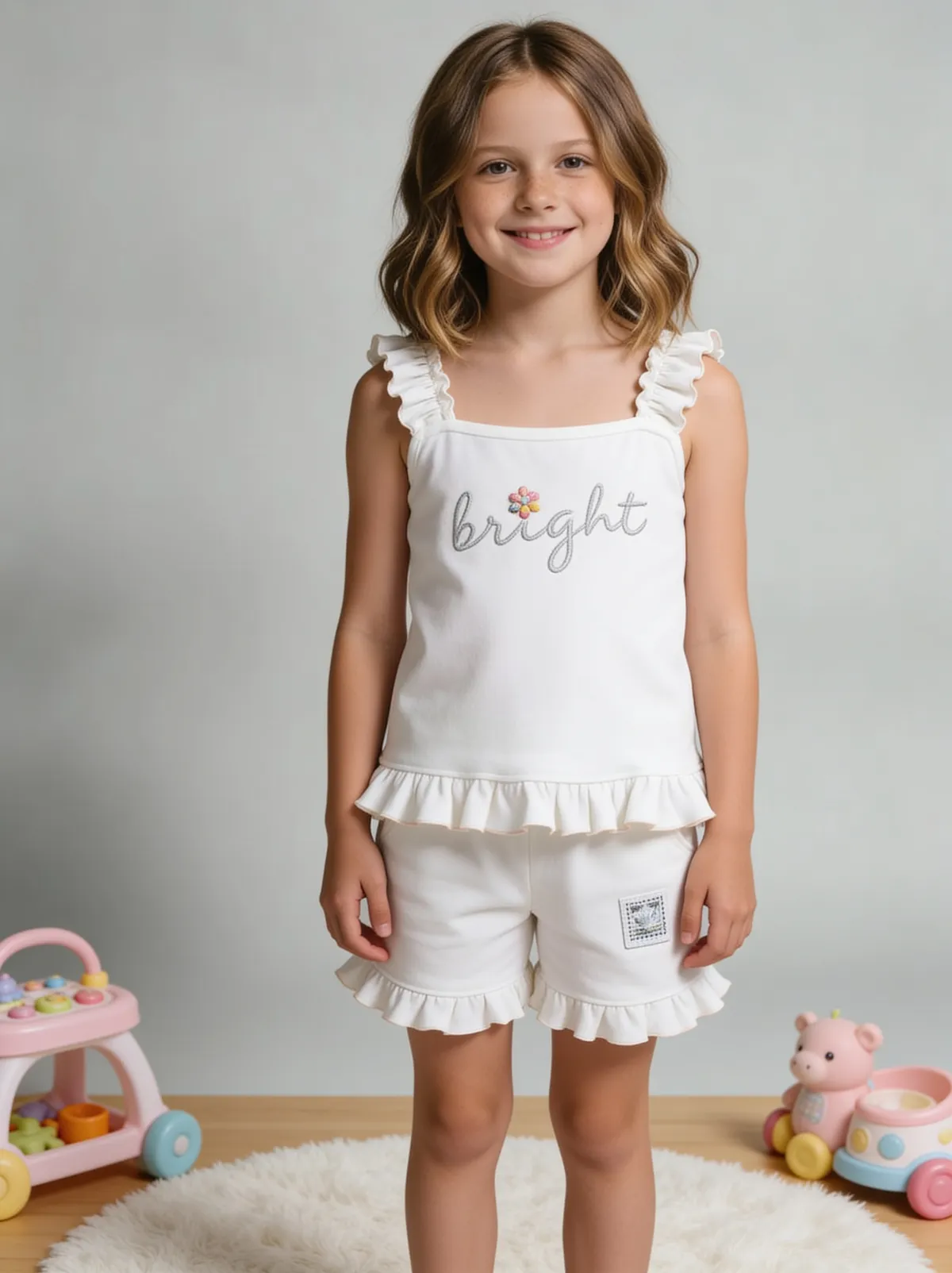
See more examples in the Fluxx.work gallery
The real workflow problem with basics
A single hoodie style might exist in eight colorways and four sizes. Photographing every combination is either impossibly expensive or gets skipped, so stores end up showing one photographed colorway with a color-swatch selector standing in for the rest — which undersells the other seven variants and creates return-rate risk when the delivered color doesn't match customer expectations set by the swatch alone.
Colorway accuracy is the whole game here
For basics, the product differentiator between SKUs is almost entirely color and maybe a small logo placement — so color accuracy has to be near-exact, not 'close enough', across every colorway generated from a single reference garment.
What a basics catalog set typically needs
A clean flat or ghost-mannequin front shot, a back shot, a close-up on fabric texture or a logo/tag detail, and often an on-model shot for the hero colorway. Fluxx.work can generate this full set per colorway from one photographed reference garment plus the correct color values for each variant.
How the generation works
Photograph one physical sample per garment style. Generate the full colorway range by specifying exact colors (hex or Pantone-adjacent) for each variant, and Fluxx.work applies that color to the fabric while preserving texture, seams, and print placement exactly as photographed.
Benefits
Full colorway range generated from one physical sample
Fabric texture and print placement held consistent across variants
Cuts per-SKU photography cost for large basics catalogs
Reduces return risk from color-swatch-only listings
How It Works
1
Photograph one physical sample garment.
2
Specify the full colorway range with target color values.
3
Fluxx.work generates flat, back, and detail shots per colorway.
4
Add on-model shots for hero colorways as needed.
Best Practices
- check_circlePhotograph the physical sample in neutral, even light with true color rendering
- check_circleSpecify precise color values for each colorway rather than relying on visual approximation
- check_circleKeep flat-lay framing and crop identical across all SKUs in a style family
- check_circleGenerate at least one fabric-detail close-up per style to support material-quality perception
Common Mistakes
- cancelListing unphotographed colorways with only a color swatch, creating expectation mismatches
- cancelUsing inconsistent lighting across colorway shots taken on different days
- cancelNot verifying exact hex/Pantone values before generating variant colors
- cancelSkipping a fabric-texture close-up, leaving buyers unsure about material quality
Trusted by 1,200+ businesses worldwide
“We used to book a studio every quarter. Now one product photo gives us the hero, lifestyle and detail shots in a single pass, and the catalogue finally looks like one brand instead of six separate shoots.”
Marcus T.
Founder, Home Goods Brand · Austin, TX
“The garment is genuinely the same in every frame — colour, print and trims all hold. That was the part I did not believe until we ran our own SKUs through it.”
Dana R.
Head of Ecommerce, Activewear · Brooklyn, NY
“Glass and reflections are where most tools fall apart. Ours come out clean, so we can photograph a new scent the week it launches instead of waiting on a studio slot.”
Layla A.
Founder, Fragrance Brand · Dubai, UAE
“Metal finish and stone detail survive a zoom now, which is what our listings actually needed. We stopped reshooting pieces that came back soft.”
Omar S.
Marketing Director, Jewellery · Abu Dhabi, UAE
“The textures and lighting are so realistic that customers tell us they can almost feel the product. We reshoot far less than we used to.”
Sneha P.
Founder, Coffee Brand · Coorg, India
“The AI-contextual backgrounds just work. It reads the product and picks the right aesthetic. We've stopped paying for stock photo subscriptions.”
Priya S.
Founder, Skincare Brand · Mumbai, India
Frequently Asked Questions
Can I generate every colorway from a single physical sample?
Yes — you photograph one physical garment and generate the remaining colorways by specifying target colors, keeping fabric texture and construction consistent across all of them.
Will fabric texture (ribbing, fleece, jersey) look consistent across colorways?
Yes, texture and weave are preserved from the source photo and only the color channel changes per variant.
Does this work for basics with a small chest logo or tag?
Yes, logo placement, size, and color are held constant across colorway variants unless you specify a change.
Can I still get an on-model shot for just the hero colorway?
Yes — you can generate on-model imagery for select colorways and flat/ghost-mannequin shots for the rest to control cost per SKU.
Why Fluxx.work
Fluxx.work turns one physical sample into a complete, color-accurate catalog range instead of forcing a photoshoot per colorway.