How to use Fluxx
Upload one product photo and get studio-grade hero, lifestyle, feature, and try-on images — your product stays pixel-perfect while we build the scene around it. Start with the four video walkthroughs below, then use the sections after for a deep dive on every individual control.
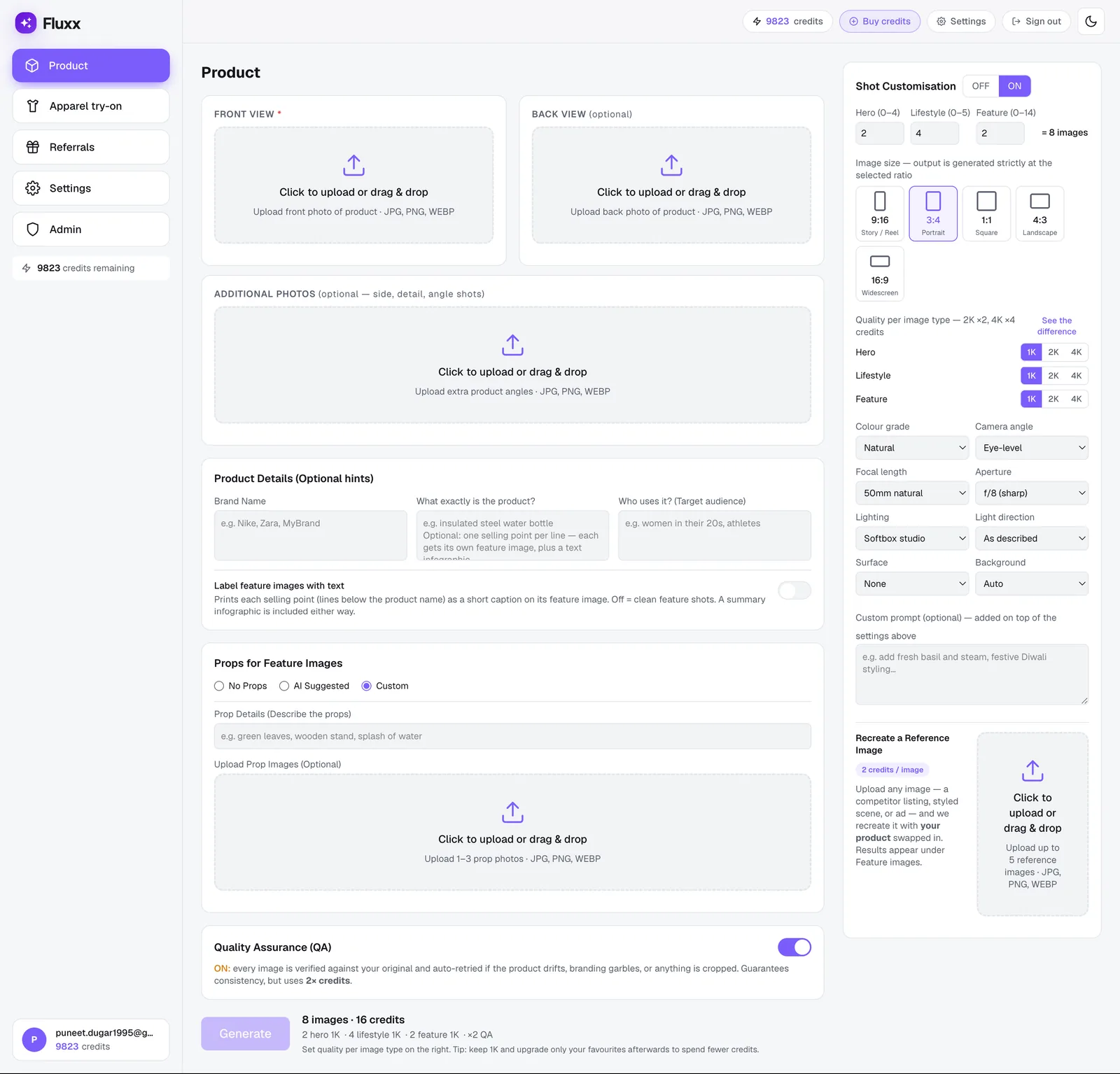
Quick start
- 1Sign up — Create a free account — 1 image free, no card needed — then grab the $5 Starter pack (7 images) when you need more.
- 2Pick a mode — Product for any physical product, Apparel try-on for clothing worn on an AI model, or Accessories try-on for watches, bags, and jewellery.
- 3Upload your photo — Add the front view (required); back and detail angles improve fidelity.
- 4Add optional hints — Brand, “What exactly is the product?”, and target audience sharpen the results.
- 5Choose counts, size & quality — How many Hero / Lifestyle / Feature images, the aspect ratio, and 1K / 2K / 4K per type.
- 6Turn on QA (optional) — Guarantees the product stays consistent — adds 12 credits per image.
- 7Generate — Images stream in. Download the winners, or upgrade individual ones to 2K / 4K.
Every feature, explained — tap to jump & play
1. How to Create a Full Product Photoshoot
Start here — the complete Product mode flow end to end: upload your photo, add optional hints, choose counts and quality, and generate a full Hero / Lifestyle / Feature set in one pass.
WhereGenerate menu→Product→upload Front (required) and Back (optional) views→add optional hints→Generate
Full video tutorial:

2. How to Create Labelled Images Perfect for Ecommerce Listings
Enter selling points (one per line) in "What exactly is the product?", and turn this toggle on to print each point as a short caption on its feature image — a ready-to-post listing graphic. A summary infographic is included either way.
WhereUpload your product photo→“What exactly is the product?” field→toggle just below it
Full video tutorial:
3. How to Shoot a Full Apparel Try-On Photoshoot
Or switch to Apparel try-on mode to dress a chosen or uploaded AI model in your garment — front and back views, multiple consistent poses, ready for a full product-listing gallery without booking a live model shoot.
WhereGenerate menu→Apparel try-on→upload Front (required) and Back (optional) garment views→choose a model→Generate
Full video tutorial:
4. How to Shoot Jewellery & Accessories Try-Ons
Accessories try-on mode covers jewellery, watches, and bags — upload a few angles of the piece and Fluxx places it on an AI model, keeping the stones, metal tone, and engraving true to your photos.
WhereGenerate menu→Apparel try-on→Accessories→upload 1–5 angles of the piece→choose a model→Generate
Full video tutorial:

5. Props for feature images
Now for the individual controls, starting with props — the objects and surfaces styled around your product — they add context without touching the product itself.
WhereConfigure step→Props for feature images card
- AI Suggested — Fluxx picks brand-appropriate props automatically.
- Custom — describe props in text and/or upload 1–3 reference photos of them.

6. Custom prompt
Layer any styling instruction on top of the automatic settings — mood, season, extra elements — in plain English.
WhereConfigure step→Additional styling notes card
e.g. "warm festive styling with soft fairy lights" or "dark background, warm bokeh, premium editorial". Your product stays identical — the prompt only styles the scene.
7. Recreate a reference image

Upload any image you like — a competitor listing, a styled scene, an ad — and Fluxx recreates that exact composition and mood with your product swapped in. The original product never appears; only yours does.
WhereConfigure step→Recreate a reference image card (Product mode)
Upload up to 5 reference images, 15credits each; results appear under Feature, labelled "Custom — from your reference". Recreations use up your Feature count budget rather than adding to it — e.g. Feature set to 1 plus 1 uploaded reference produces exactly 1 image (the recreation), not 2.
Full video tutorial:
8. One upload → a full set


Every generation returns Hero (clean studio, up to 4), Lifestyle (in use, up to 6), and Feature (macro close-ups, up to 14) — 20 images max per generation. Real examples for two products:
WhereConfigure step→Counts & quality card→Hero / Lifestyle / Feature
9. Resolution — 1K, 2K, 4K

Set quality per image type, or generate at 1K and upgrade only the winners. Same flat price at every resolution: 12 credits per image, 1K/2K/4K alike.
WhereConfigure step→Counts & quality card→Quality per image type
10. QA — guaranteed consistency
Turn QA on and every image is checked against your original and auto-retried if the product drifts. Adds 12 credits per image, guarantees the product stays true.
WhereGeneration summary step→Quality Assurance (QA) toggle
11. Credits at a glance
Failed images are refunded automatically. New accounts start with 1 free image and can then grab the $5 Starter pack (7 images). See full pricing →
12. Feedback & support
Found a bug, or have an idea that would make Fluxx better? Raise a detailed ticket, or drop quick feedback — both go straight to the team.
Both forms are also available any time from Settings.