T-Shirt Photography Without a Model Shoot
The same t-shirt SKU needs two hero images: Amazon.in requires a pure white main image at RGB 255,255,255 of at least 1,001 px, while Flipkart and Myntra apparel want light grey and reject white. The rest of a t-shirt set has to show print placement and how the garment fits a body.
Last updated:
Key facts
- Amazon.in main images for apparel must be pure white (RGB 255,255,255 / hex #FFFFFF), at least 1001 px on the longest side, with the product occupying at least 85% of the image area.
- One t-shirt SKU therefore needs 2 different main images: pure white for Amazon.in, and light grey with a soft shadow for Flipkart and Myntra, where white apparel shots are explicitly rejected.
- Myntra wants 1080 x 1440 or more at a 3:4 ratio, 500 KB to 1 MB, JPEG, plus front, side and back shots; Flipkart wants at least 1000 x 1000 px JPEG with a minimum of 2 images and 3 preferred.
- Ajio accepts JPEG or PNG at 200 KB to 1 MB and more than 1000 px in both dimensions, but a mannequin, ghost-mannequin or pack image cannot be the first image.
- A 6-shot t-shirt listing set costs ₹333 on the ₹999 Growth pack, where 18 images work out at ₹55.50 each; an image costs 12 credits and the ₹475 Starter pack gives 7 images at ₹67.86 each.
- A t-shirt main image should hold print position and colour at 100% zoom, so build the shot list around a detail crop; credits never expire and failed generations are refunded.
Real output from Fluxx.work
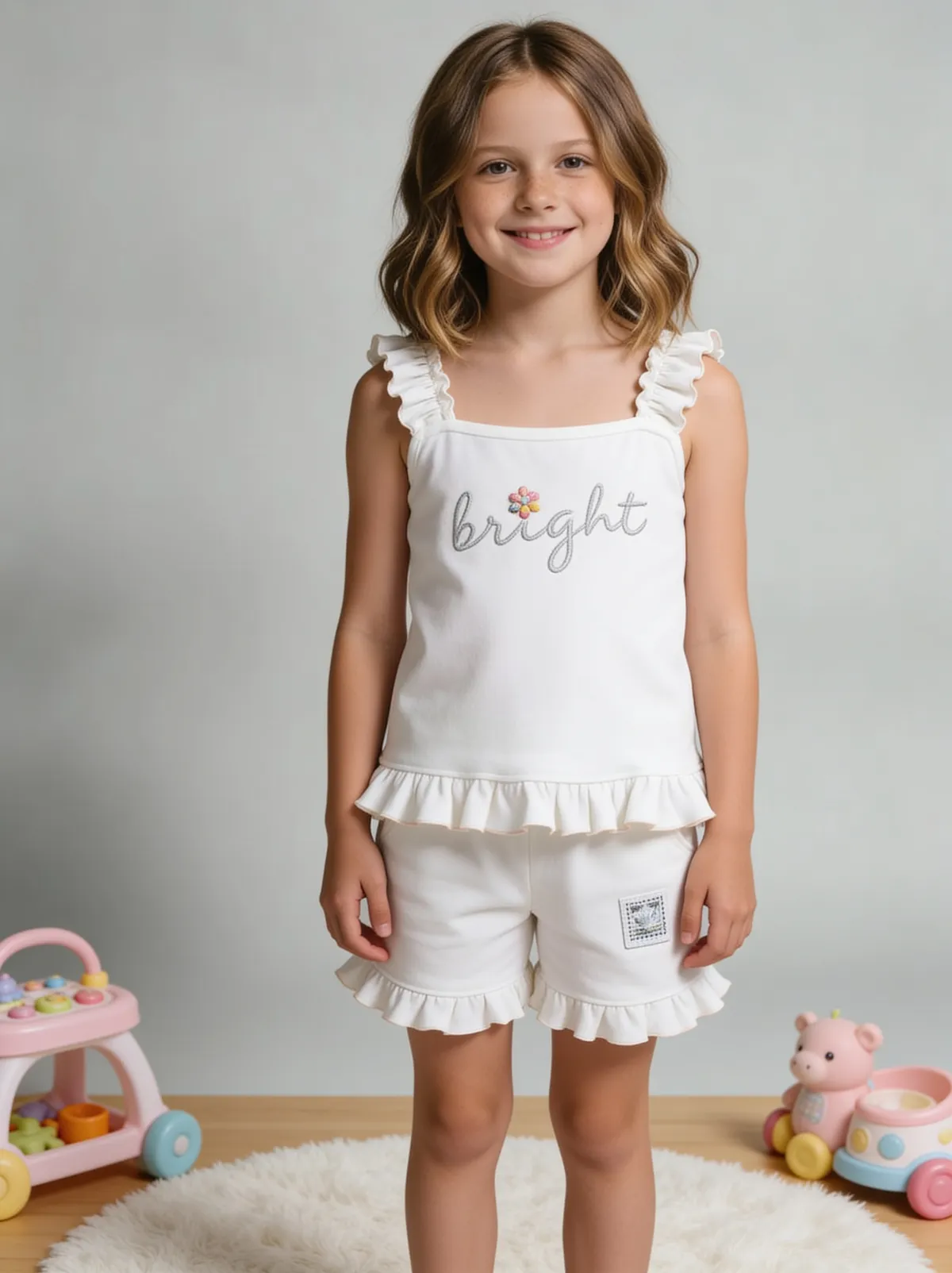
Generated from a single uploaded product photo — Fashion & apparel
See more examples in the Fluxx.work gallery
The specific challenge with t-shirts
Print placement and color accuracy matter more for t-shirts than almost any other apparel category — a shopper zooming in on a graphic tee is checking exact print position and color match. Generic AI apparel tools often redraw the garment loosely enough that a printed design shifts position or blurs. Fluxx.work locks the garment's print and color so what's on the source photo is what appears in every generated shot.
On-model without booking a model
Fit and drape are impossible to show on a flat lay alone — a shopper needs to see how the fabric falls on a body. Fluxx.work can put the same t-shirt on a generated or selected model in multiple poses, keeping the print and fit consistent across the whole set rather than shooting a new physical sample for every size or colorway.
| Requirement | Amazon.in | Flipkart | Myntra | Ajio |
|---|---|---|---|---|
| What the buyer zooms into | Print colour, print placement and the sleeve hem | Print position and colour on a light grey ghost-mannequin shot | Front, side and back with the print at 3:4 | A 100% fill detail crop of the print or the neckline |
| Resolution | At least 1001 px on the longest side | At least 1000 x 1000 px | 1080 x 1440 or more | More than 1000 px in both height and width |
| Aspect ratio | Not stated | Not stated | 3:4, and it has to be maintained | 1:1.25 |
| File size and format | Format not stated for India; no maximum file size published | JPEG only; no maximum file size published | JPEG only; 500 KB to 1 MB | JPEG or PNG; 200 KB to 1 MB |
| Background | Pure white, RGB 255,255,255 / hex #FFFFFF | Light grey with a soft shadow for apparel; white is not accepted | Light grey with a soft shadow for apparel; white is not accepted | Any light background including white |
| Product fill in the frame | At least 85% of the image area | Not stated | Not stated | 80-85% for every angle, 100% for a detail shot |
| Minimum images | Not stated; at least 6 additional images plus 1 video recommended | Minimum 2, 3 preferred | Front, side and back are mandatory | Not stated |
| Mannequin and ghost-mannequin | Mannequins are prohibited in apparel main images | Mannequins are not allowed | Not stated | Not acceptable as the FIRST image |
Benefits
Accurate print placement and color across every generated shot
Flat-lay, ghost-mannequin, and on-model formats from one source photo
No physical model or mannequin required
Consistent shot style across an entire colorway range
How It Works
1
Upload a flat photo of the t-shirt, print facing camera.
2
Choose flat-lay, ghost-mannequin, or on-model format.
3
Generate — print, color, and fabric texture stay locked to the source.
Best Practices
- check_circleShoot the source flat-lay in even light with the print fully visible and unwrinkled
- check_circleGenerate on-model shots for hero SKUs, flat-lay for full catalog breadth
- check_circleKeep the same model and pose across a collection for a cohesive storefront look
Common Mistakes
- cancelUsing loosely-generated apparel shots for graphic tees where print accuracy is critical
- cancelShowing only flat-lay images with no sense of fit or drape
- cancelInconsistent lighting/style between colorway variants of the same design
Trusted by 1,200+ businesses worldwide
“We used to book a studio every quarter. Now one product photo gives us the hero, lifestyle and detail shots in a single pass, and the catalogue finally looks like one brand instead of six separate shoots.”
Marcus T.
Founder, Home Goods Brand · Austin, TX
“The garment is genuinely the same in every frame — colour, print and trims all hold. That was the part I did not believe until we ran our own SKUs through it.”
Dana R.
Head of Ecommerce, Activewear · Brooklyn, NY
“Glass and reflections are where most tools fall apart. Ours come out clean, so we can photograph a new scent the week it launches instead of waiting on a studio slot.”
Layla A.
Founder, Fragrance Brand · Dubai, UAE
“Metal finish and stone detail survive a zoom now, which is what our listings actually needed. We stopped reshooting pieces that came back soft.”
Omar S.
Marketing Director, Jewellery · Abu Dhabi, UAE
“The textures and lighting are so realistic that customers tell us they can almost feel the product. We reshoot far less than we used to.”
Sneha P.
Founder, Coffee Brand · Coorg, India
“The AI-contextual backgrounds just work. It reads the product and picks the right aesthetic. We've stopped paying for stock photo subscriptions.”
Priya S.
Founder, Skincare Brand · Mumbai, India
Frequently Asked Questions
Can one t-shirt main image serve both Amazon.in and Flipkart?
No. Amazon.in requires pure white RGB 255,255,255 with the product at 85% or more of the frame, while Flipkart apparel requires light grey with a soft shadow and will not accept white, so one SKU needs 2 main images.
How many images should a t-shirt listing carry on Flipkart?
Flipkart states a minimum of 2 and 3 preferred, at 1000 x 1000 px or more in JPEG, so a print tee is best served by at least 3 slots: the grey hero plus 2 detail shots.
What size and ratio does a t-shirt image need for Myntra?
Myntra wants 1080 x 1440 or more at a 3:4 ratio, 72 dpi or more, JPEG at 500 KB to 1 MB, on light grey for apparel, and front, side and back views are mandatory.
Can a ghost-mannequin t-shirt photo be the first image on Ajio?
No. Ajio does not accept a mannequin, ghost-mannequin or pack image as the first image, so the opening slot has to be a styled flat or on-model shot that fills 80-85% of the frame.
How many credits does a 6-image t-shirt listing set cost on Fluxx?
144 credits, because an image costs 12 credits and QA verification adds 12 more per image; on the ₹999 Growth pack that is ₹55.50 an image, so the same 6-image set is ₹333.
Why Fluxx.work
Print accuracy is non-negotiable for graphic apparel — Fluxx.work locks design placement and color so zoomed-in product images hold up to scrutiny.