Producing a Full Apparel Catalog, Start to Finish
The same apparel SKU needs 2 different main images: Amazon.in requires pure white with the product at 85% of the frame, while Flipkart and Myntra apparel require light grey and reject white. Amazon.in also wants at least 1,001 px on the longest side, and Myntra wants 3:4 at 1080 x 1440, per Fynd's integration documentation.
Last updated:
Key facts
- Amazon.in apparel main images need pure white RGB 255,255,255 at a minimum of 1,001 px on the longest side, with the product occupying at least 85% of the image area.
- Flipkart apparel images need a light grey background with a soft shadow at 1000 x 1000 px or more in JPEG, and a white background will not be accepted, per Fynd's integration docs.
- Myntra wants 1080 x 1440 or more at a 3:4 ratio, 72 dpi or more, 500 KB to 1 MB, JPEG only, light grey with a soft shadow, and front, side and back mandatory.
- Ajio rejects mannequin, ghost-mannequin and pack images as the first image, and wants 1:1.25 at more than 1000 px in both dimensions, 200 KB to 1 MB, with the product filling 80-85% of the frame.
- Every catalog image costs 12 credits, background removal costs 2, a gallery edit costs 10, accessories try-on costs 20, and a 7-image set costs 84 credits.
- A ₹2,999 Pro pack holds 62 images at ₹48.37 each and a ₹9,999 Business pack holds 238 at ₹42.01 each, and 4K output costs the same credits as 1K.
Real output from Fluxx.work
Generated from a single uploaded product photo — Fashion & apparel
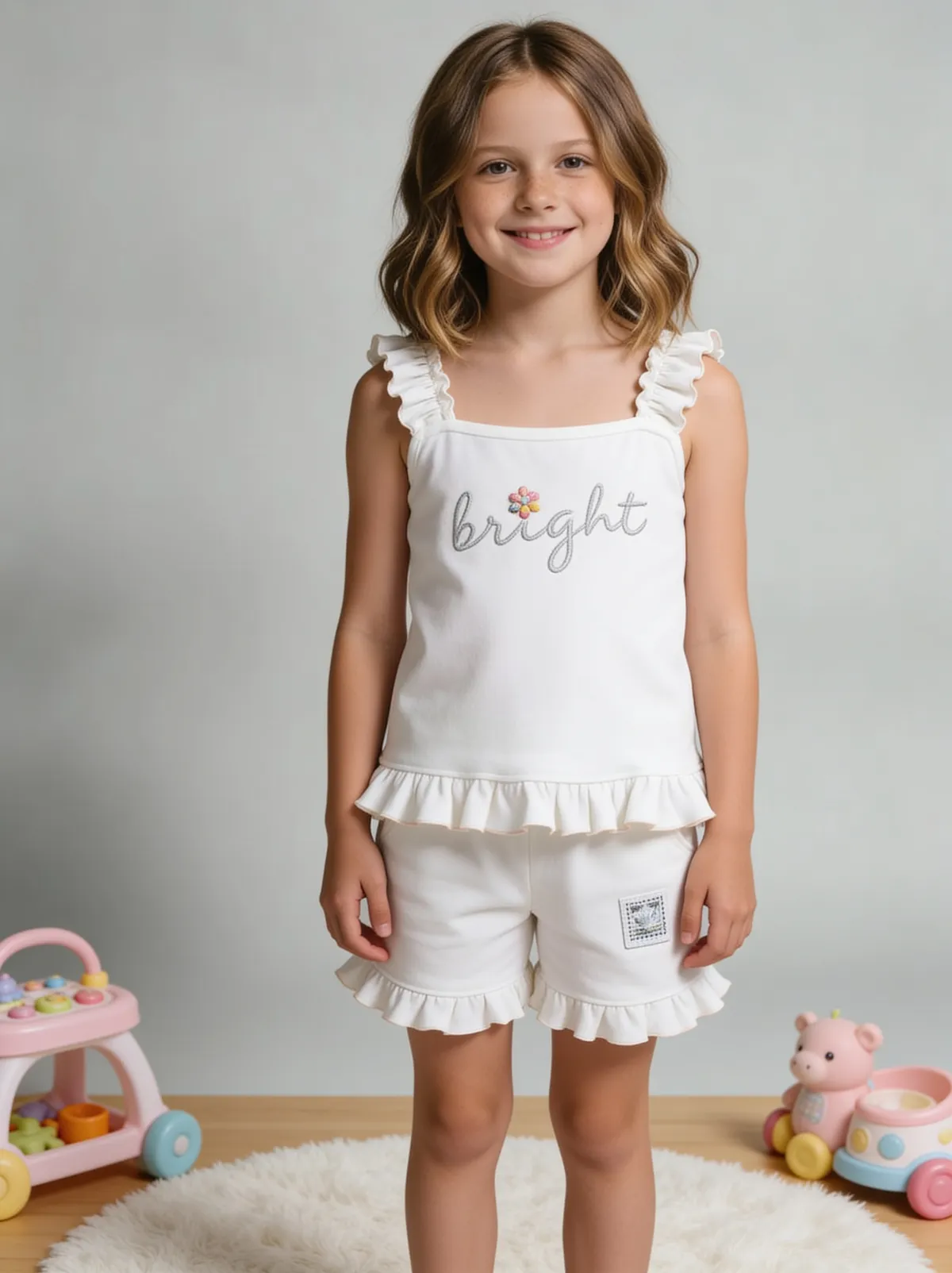
See more examples in the Fluxx.work gallery
Why apparel catalogs multiply fast
A single t-shirt style might need a flat lay, a ghost mannequin shot, and an on-model shot — then that same set repeated across every colorway the style comes in. What looks like one product on a spec sheet can turn into a dozen or more required images once colorway and shot-type combinations are accounted for, which is why apparel catalogs are usually the most demanding production workload in a product photography plan.
Keeping fabric color and print accurate across every combination
The hardest part of an apparel catalog isn't producing volume — it's keeping fabric color, print placement, and texture exactly accurate across every colorway and shot type, since apparel shoppers are especially sensitive to color mismatches between the photo and the item that arrives. The workflow needs to lock those details per colorway rather than approximating them across the set.
| Channel | Main-image background | Size and ratio |
|---|---|---|
| Amazon.in (official) | Pure white RGB 255,255,255 / #FFFFFF; no mannequin | At least 1,001 px on the longest side; product at least 85% of the image area |
| Flipkart (Fynd integration docs) | Light grey with a soft shadow; white not accepted | At least 1000 x 1000 px; JPEG only; minimum 2 images, 3 preferred |
| Myntra (Fynd integration docs) | Light grey with a soft shadow; white not accepted | 1080 x 1440 or more at 3:4; 72 dpi; 500 KB to 1 MB; JPEG only |
| Ajio (Fynd integration docs) | Any light background including white | 1:1.25, more than 1000 px in both dimensions, 200 KB to 1 MB; no mannequin, ghost-mannequin or pack first image |
| Amazon US (official) | Pure white RGB 255,255,255; no mannequin showing a body part | 500 px minimum, 10,000 px maximum; 1,000+ px recommended |
Benefits
Covers flat lay, ghost mannequin, and on-model in one consistent workflow
Fabric color and print locked accurately across every colorway
Scales cleanly across a style's full colorway and size range
How It Works
1
Upload the garment reference photo for each colorway.
2
Choose the shot types needed: flat lay, ghost mannequin, on-model.
3
Generate across all colorways with fabric color locked.
4
Export the full catalog set per style.
Best Practices
- check_circlePlan the shot-type mix (flat lay, ghost mannequin, on-model) per style before generating
- check_circleLock fabric color and print per colorway rather than reusing one reference loosely
- check_circleBatch by style first, then by colorway, to keep the catalog organized as it scales
Common Mistakes
- cancelOnly producing one shot type per style when the catalog actually needs a mix
- cancelLetting fabric color drift slightly between colorway variants
- cancelTreating apparel like a single-image product category instead of planning for shot-type multiplication
Trusted by 1,200+ businesses worldwide
“We used to book a studio every quarter. Now one product photo gives us the hero, lifestyle and detail shots in a single pass, and the catalogue finally looks like one brand instead of six separate shoots.”
Marcus T.
Founder, Home Goods Brand · Austin, TX
“The garment is genuinely the same in every frame — colour, print and trims all hold. That was the part I did not believe until we ran our own SKUs through it.”
Dana R.
Head of Ecommerce, Activewear · Brooklyn, NY
“Glass and reflections are where most tools fall apart. Ours come out clean, so we can photograph a new scent the week it launches instead of waiting on a studio slot.”
Layla A.
Founder, Fragrance Brand · Dubai, UAE
“Metal finish and stone detail survive a zoom now, which is what our listings actually needed. We stopped reshooting pieces that came back soft.”
Omar S.
Marketing Director, Jewellery · Abu Dhabi, UAE
“The textures and lighting are so realistic that customers tell us they can almost feel the product. We reshoot far less than we used to.”
Sneha P.
Founder, Coffee Brand · Coorg, India
“The AI-contextual backgrounds just work. It reads the product and picks the right aesthetic. We've stopped paying for stock photo subscriptions.”
Priya S.
Founder, Skincare Brand · Mumbai, India
Frequently Asked Questions
Why does one garment need two different background colours?
Because Amazon.in apparel requires pure white RGB 255,255,255 with the product at 85% of the image, while Flipkart and Myntra apparel require light grey with a soft shadow and reject white.
Which Indian marketplaces reject a white background for apparel?
Flipkart and Myntra apparel both state a white background will not be accepted and require light grey with a soft shadow at 1000 x 1000 px on Flipkart and 1080 x 1440 on Myntra, per Fynd's integration documentation.
What is the maximum file size for an apparel catalog image?
Myntra caps images at 500 KB to 1 MB and Ajio at 200 KB to 1 MB, both per Fynd integration docs; Flipkart's maximum file size is not published there.
Can a mannequin appear in the first image of an apparel listing?
Amazon.in prohibits mannequins in apparel main images and Ajio rejects mannequin, ghost-mannequin and pack images as the first image, so plan 2 or 3 non-mannequin shots for the opening slots.
How many credits does a full apparel catalog set cost?
12 credits an image, so a 7-image set is 84 credits; a ₹9,999 Business pack covers 238 images at ₹42.01 each, and 4K costs the same credits as 1K.
Why Fluxx.work
Fluxx.work's identity lock holds fabric color and print steady across every colorway and shot type, which is where most apparel catalogs lose consistency.