Ring Photography at True Macro, With Real Facet Sparkle
A ring is the most macro-dependent jewellery category: one image costs 12 credits and a 7-shot ring set costs 84 credits, while Etsy recommends at least 2,000 px for listing photos, Amazon asks for the ring at 85% of the frame on pure white RGB 255,255,255, and Google Merchant Center wants a 75–90% fill.
Last updated:
Key facts
- Amazon's main image floor is 500 px on the longest side and the image cannot be uploaded below that; the maximum is 10,000 px and 1,000+ px is what enables zoom.
- The ring must fill 85% of the Amazon image on pure white RGB 255,255,255; Amazon.in states at least 85% of the image area.
- Etsy recommends at least 2,000 px for ring photos and at least 635 px for the first photo, which matters most at the crop level a facet check happens at.
- Google Merchant Center asks for no less than 75% and no more than 90% fill of the full image, at least 500 x 500 px and around 1500 x 1500 px recommended.
- Fluxx.work generates the macro hero and the scale-reference shot from the same source for 12 credits an image, and 4K output costs the same credits as 1K.
- State the ring's band width and stone diameter in the listing copy; the resolution floor is 500 px on Amazon, and Etsy's 20 photo slots allow a dedicated scale shot.
Real output from Fluxx.work
Generated from a single uploaded product photo — Jewellery & watches
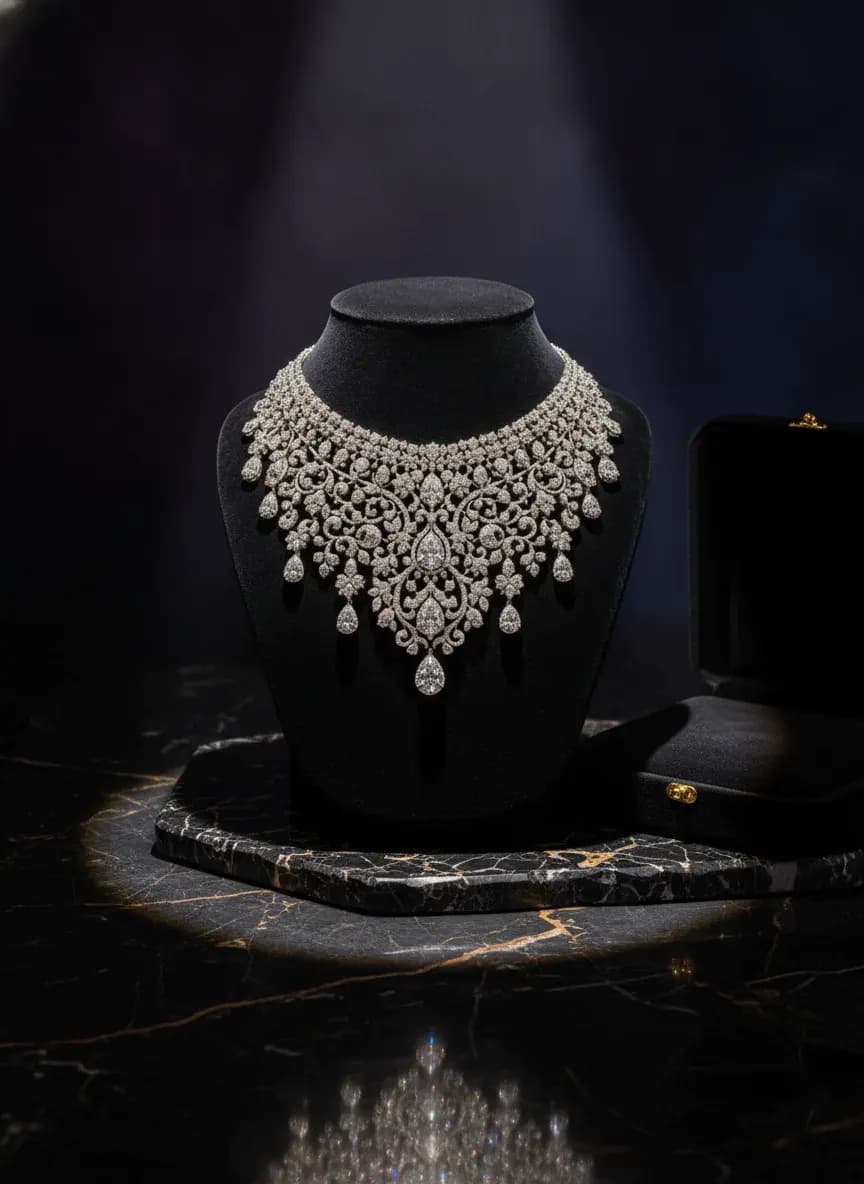
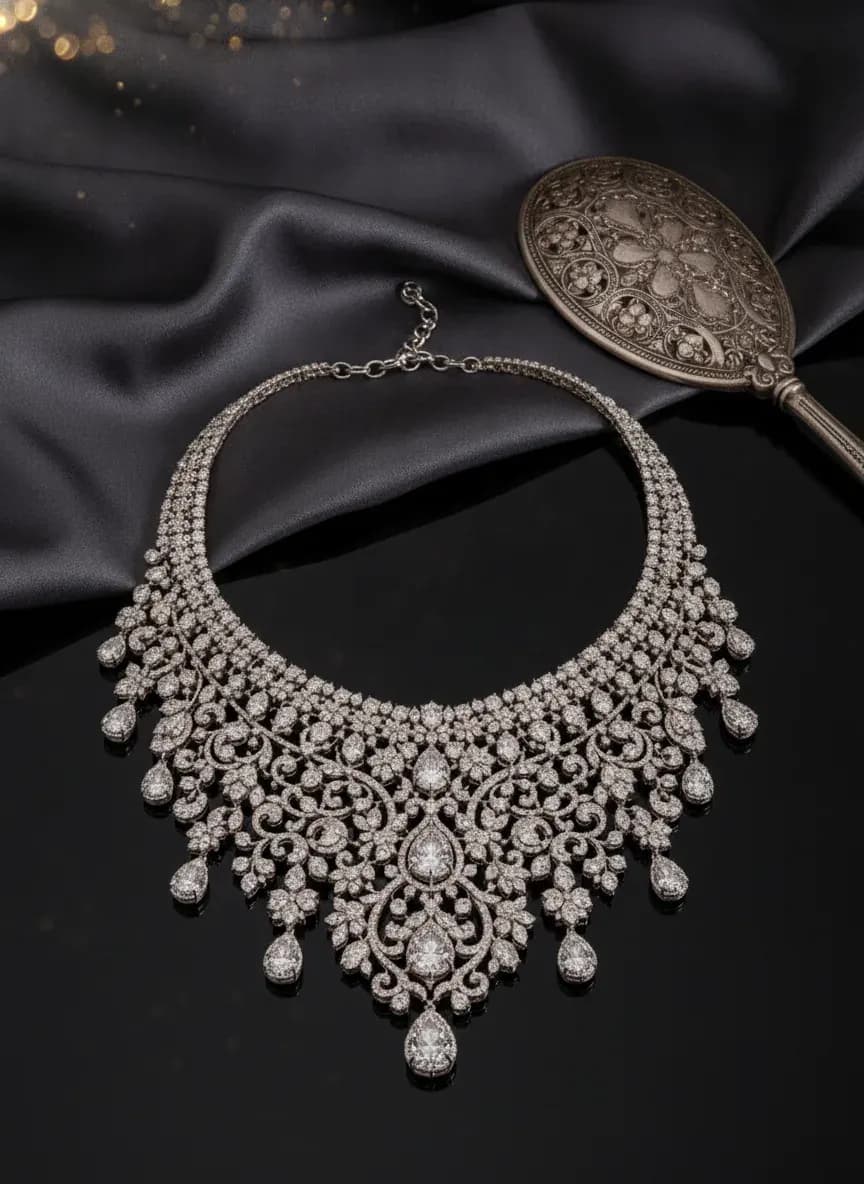
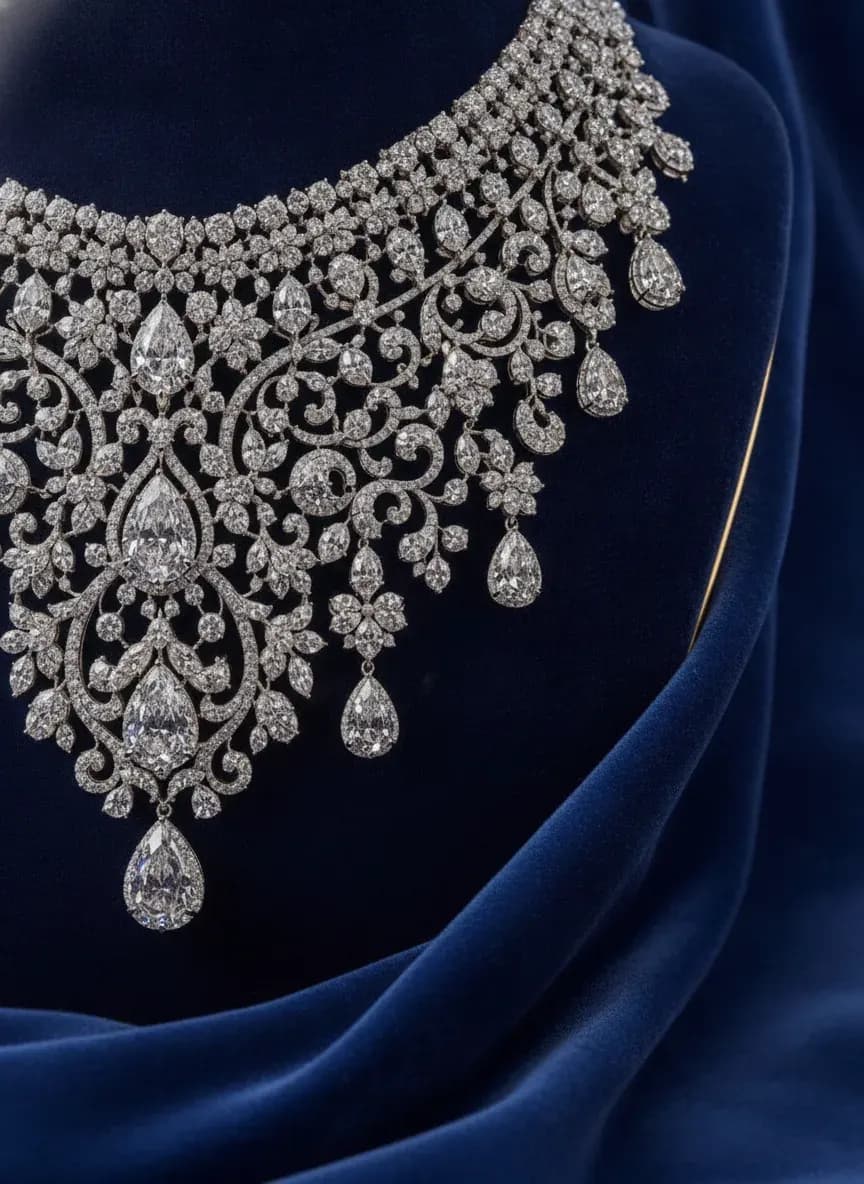
See more examples in the Fluxx.work gallery
Facet and sparkle rendering at extreme close range
A ring's gemstone is evaluated on cut quality and brilliance — how light breaks across facets — which requires rendering fine reflective detail that generic AI upscaling tends to blur into a smooth blob. Fluxx.work preserves the actual facet pattern and light-scatter detail captured in the source photo even at extreme macro crop levels, keeping the stone's brilliance sharp rather than generic.
Finger-scale context solves the sizing guesswork
A pure macro shot makes every ring look the same size, and shoppers often can't judge whether a stone is delicate or statement-sized without a scale reference. Fluxx.work generates on-finger shots alongside the macro hero, giving an accurate sense of proportion relative to a hand while keeping the ring's exact design and finish consistent between both shots.
| Shot | What it has to show | Verified requirement |
|---|---|---|
| Macro hero | The focal stone and its facet pattern, shot so a buyer zooming to check cut quality finds usable detail | Etsy recommends at least 2,000 px for listing photos, which is the resolution a facet check is made from |
| Scale reference on finger | The band on a finger so the diameter reads as a real measurement against the hand rather than a bare stone | Google Merchant Center asks for 75–90% of the full image, at least 500 x 500 px |
| Prong and setting detail | How the stone is held, the setting type, and whether the detailing is clean at close range | Amazon: 500 px minimum on the longest side, 1,000+ px recommended, so the crop has detail to resolve |
| Collection grid view | Every ring in a range framed identically so shoppers compare cut and stone size rather than lighting | Meta catalogue images: JPEG or PNG at a maximum of 8 MB |
| Engraving or inscription shot | Any band engraving, hallmark or inscription, the detail that turns a plain band into a personalised one | Etsy allows up to 20 photos per listing, but images over 1 MB may not finish uploading |
Benefits
Sharp facet and sparkle rendering at extreme macro
On-finger shots for accurate scale and sizing context
Setting and prong detail preserved without blur
No physical macro lens or lighting rig required
How It Works
1
Upload a well-lit, close-up photo of the ring.
2
Choose extreme macro hero or on-finger scale format.
3
Generate — facet sparkle and setting detail stay sharp and true to source.
Best Practices
- check_circlePhotograph the ring under directional light to capture natural facet sparkle in the source
- check_circleAlways pair a macro hero shot with an on-finger scale shot
- check_circleCheck that prong and band engraving detail is visible in the source photo before generating
Common Mistakes
- cancelPublishing only macro shots with no scale reference, leaving size ambiguous
- cancelUsing upscaled AI renders that smooth facet detail into a flat shine
- cancelNeglecting band and setting detail in favor of the center stone alone
Trusted by 1,200+ businesses worldwide
“We used to book a studio every quarter. Now one product photo gives us the hero, lifestyle and detail shots in a single pass, and the catalogue finally looks like one brand instead of six separate shoots.”
Marcus T.
Founder, Home Goods Brand · Austin, TX
“The garment is genuinely the same in every frame — colour, print and trims all hold. That was the part I did not believe until we ran our own SKUs through it.”
Dana R.
Head of Ecommerce, Activewear · Brooklyn, NY
“Glass and reflections are where most tools fall apart. Ours come out clean, so we can photograph a new scent the week it launches instead of waiting on a studio slot.”
Layla A.
Founder, Fragrance Brand · Dubai, UAE
“Metal finish and stone detail survive a zoom now, which is what our listings actually needed. We stopped reshooting pieces that came back soft.”
Omar S.
Marketing Director, Jewellery · Abu Dhabi, UAE
“The textures and lighting are so realistic that customers tell us they can almost feel the product. We reshoot far less than we used to.”
Sneha P.
Founder, Coffee Brand · Coorg, India
“The AI-contextual backgrounds just work. It reads the product and picks the right aesthetic. We've stopped paying for stock photo subscriptions.”
Priya S.
Founder, Skincare Brand · Mumbai, India
Frequently Asked Questions
Can one source photo of a ring deliver both a macro hero and a finger shot?
Yes — Fluxx.work generates both from the same photo at 12 credits an image, so a macro hero plus a scale reference is 24 credits and a 7-shot set is 84.
What resolution do I need for facet detail on a ring?
Etsy recommends at least 2,000 px for listing photos and a 635 px minimum for the first photo; Amazon's floor is 500 px and its recommendation is 1,000+ px for zoom.
Should the ring fill the whole Amazon main image?
No — Amazon asks for the product as 85% of the image, and Google Merchant Center's band is 75–90%, so a ring blown up past 90% risks breaking both.
How do I show stone size without a physical scale reference?
Use an on-finger shot so the band reads against a hand, because Amazon's 500 px floor is too small for a ruler to stay legible and Etsy's 20 photo slots allow a dedicated scale image.
Does 4K rendering cost more credits for a ring macro shot?
No — 4K costs the same credits as 1K, so 12 credits buys either, and failed generations are refunded so a re-cut macro does not double the cost.
Why Fluxx.work
At ring-level zoom every flaw shows, so Fluxx.work is built to hold facet and setting detail exactly where other tools smooth it away.