Turning Ghost Mannequin Photos Into On-Model Images
A ghost mannequin photo is already a strong source for AI on-model images, because its 2 views show the garment's true shape, front and back, with nothing in the way. Each conversion costs 12 credits on Fluxx.work, against $95 per image for a studio model shoot at Squareshot.
Key facts
- Ajio does not accept mannequin, ghost-mannequin or pack images as the 1st image, so an apparel listing there needs an on-model hero.
- Converting 1 ghost mannequin photo to an on-model image costs 12 credits: ₹67.86 on the ₹475 Starter pack, ₹42.01 on the ₹9,999 Business pack.
- A studio model shoot starts at $95 per image or $2,950 for 4 hours at Squareshot (checked October 2026).
- 20 products with 4 on-model images each is 80 images and 960 credits, which fits inside the ₹9,999 Business pack (238 images).
- The front and back ghost shots should be converted separately: 1 source per pose gives the AI the real back of the garment instead of a guess.
Why convert ghost mannequin images at all
Ghost mannequin photos show structure well, but shoppers also want to see how a garment sits on a body: where the hem falls, how the shoulders fit, whether the fabric clings or hangs. Some marketplaces make the decision for you. Ajio does not accept a ghost-mannequin image as the 1st image, so a ghost-only gallery cannot lead an Ajio listing, and Indian fashion marketplaces generally favour on-model heroes. Converting the ghost photos you already own is the cheapest way to add that hero without shooting the collection again.
What makes a ghost photo a good AI source
The qualities that make a ghost image look professional are the same ones that make it a good source. It should be symmetrical and shot straight on, so the AI is not guessing at a tilted garment. The neck interior should be visible, because it tells the model how the collar sits. Colour should be accurate, with white balance set against a grey card, since every output inherits the source's colour. And it should be the full-resolution original, not a compressed marketplace export, so labels and fine prints survive. A ghost photo with a visible mannequin edge or a hard composite line should be fixed first, because the AI may read the edge as part of the garment.
Step by step: from ghost image to on-model set
Gather the original front and back ghost shots for each product, named by SKU. Choose one model for the whole collection and keep it, so the catalog looks like one shoot. Generate the front view from the front ghost shot and the back view from the back ghost shot; do not ask for a back view from a front photo, because the AI will invent the back. Add a three-quarter pose from the front shot if the gallery needs a third angle. Then set the background to each channel's rule, such as pure white for Amazon or light grey for Myntra and Flipkart, and export at the channel's size.
Keep the ghost shots in the gallery
Converting does not mean replacing. A gallery that leads with an on-model image and keeps the ghost front and back in supporting slots answers both questions shoppers ask: how will it look on me, and what exactly is the garment? The ghost shots also make the catalog comparable, because every product appears in the same neutral form. The slot strategy that uses both formats is laid out in ghost mannequin vs. on-model.
What it costs against a reshoot
Take 20 products that need 4 on-model images each: 80 images. Booked as a studio model shoot at Squareshot's starting rate of $95 an image, that is $7,600 before styling, extra models or sample shipping. Generated from the ghost photos you already have, at 12 credits an image, it is 960 credits, which falls inside the ₹9,999 Business pack. The ghost photography you paid for once now feeds both formats.
| On-model image you want | Best source shot | What to check in the result |
|---|---|---|
| Front, standing | Front ghost shot with the neck interior visible | Neckline shape and button count |
| Back view | Back ghost shot | Back print, yoke and any back pockets |
| Three-quarter turn | Front ghost shot | Side seams and sleeve set |
| Close crop, upper body | Front ghost shot at full resolution | Fabric texture and logo detail |
See the Difference
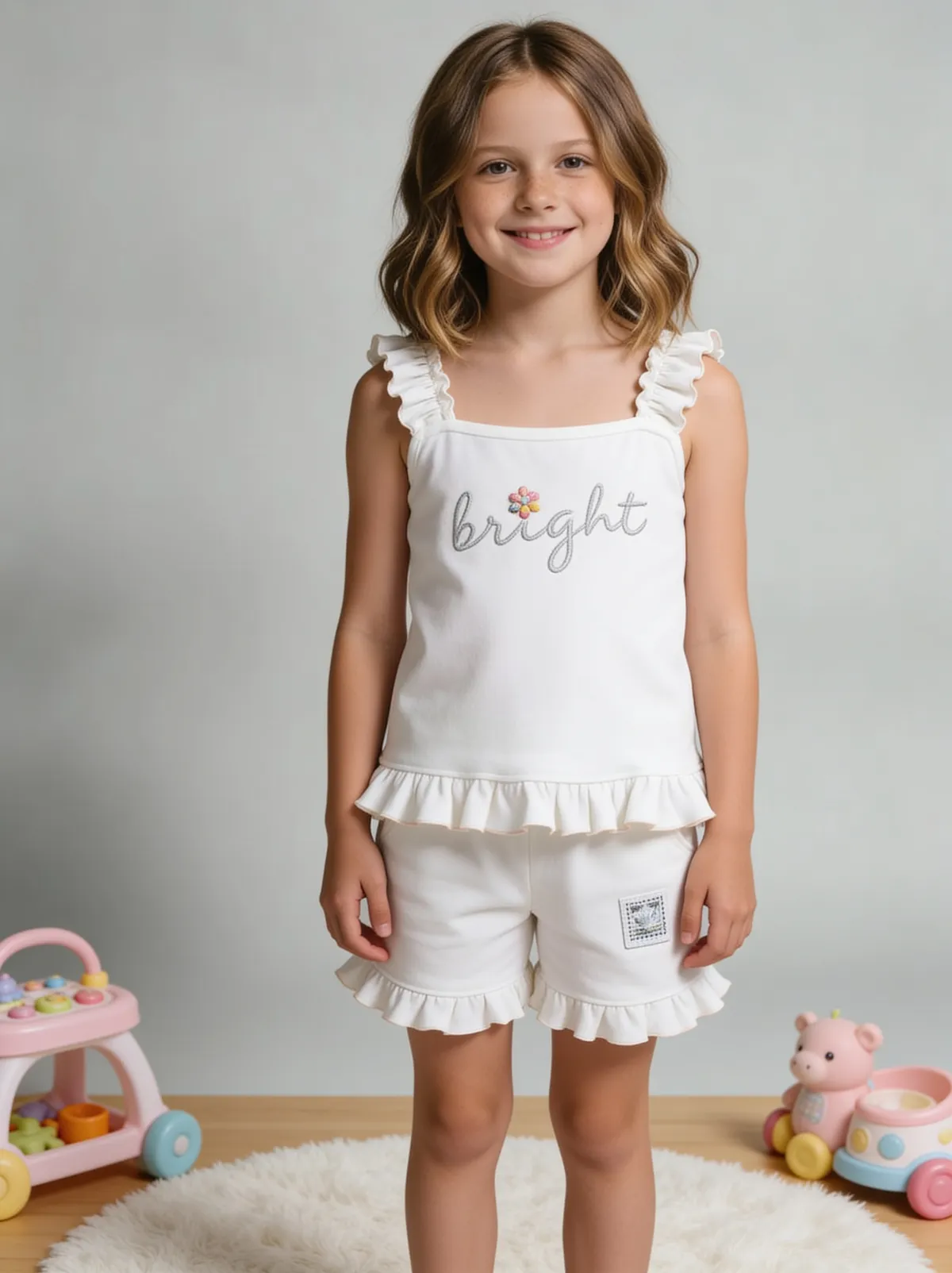
Drag the slider to compare: before your upload, after Fluxx.
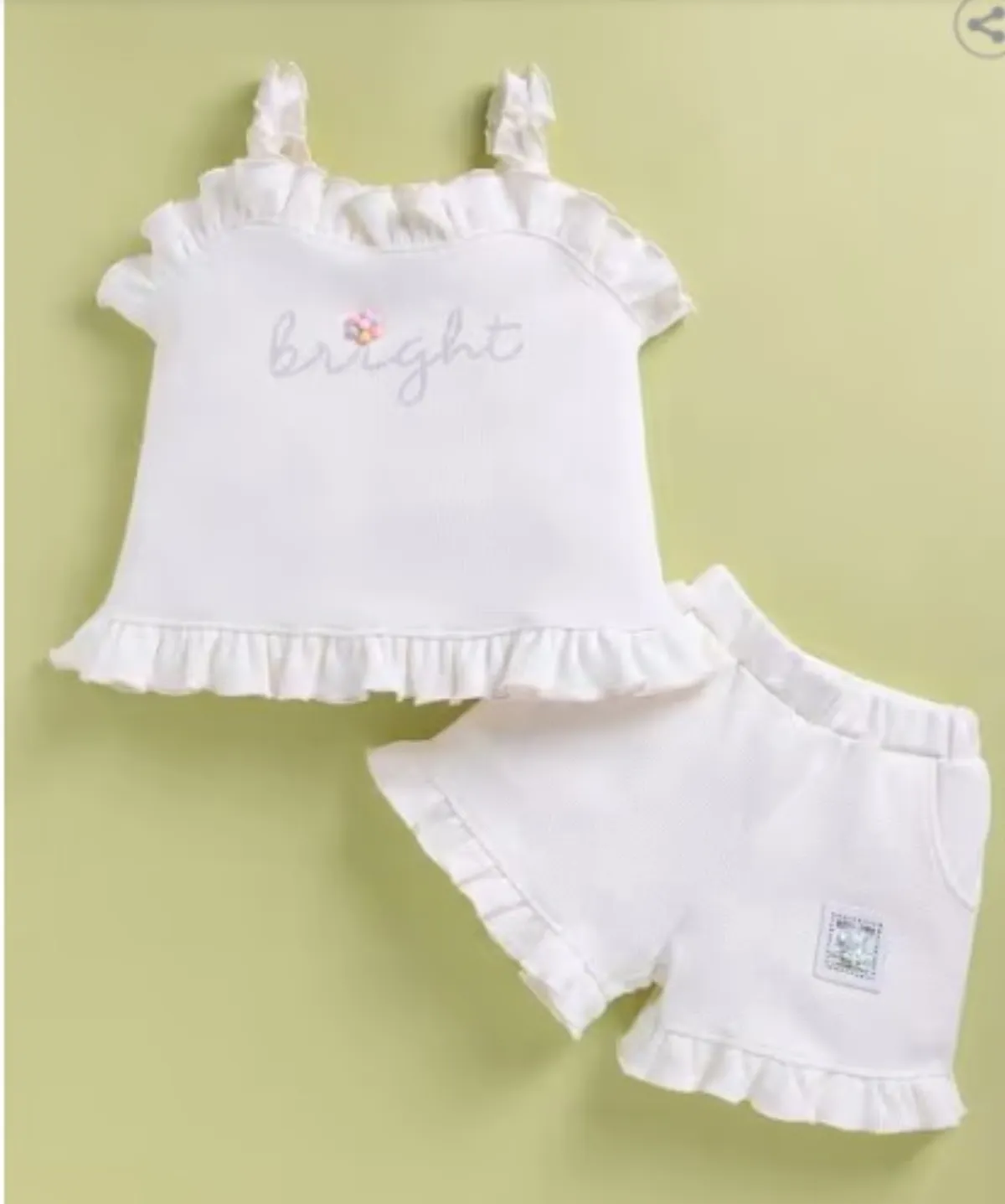
 BeforeAfter
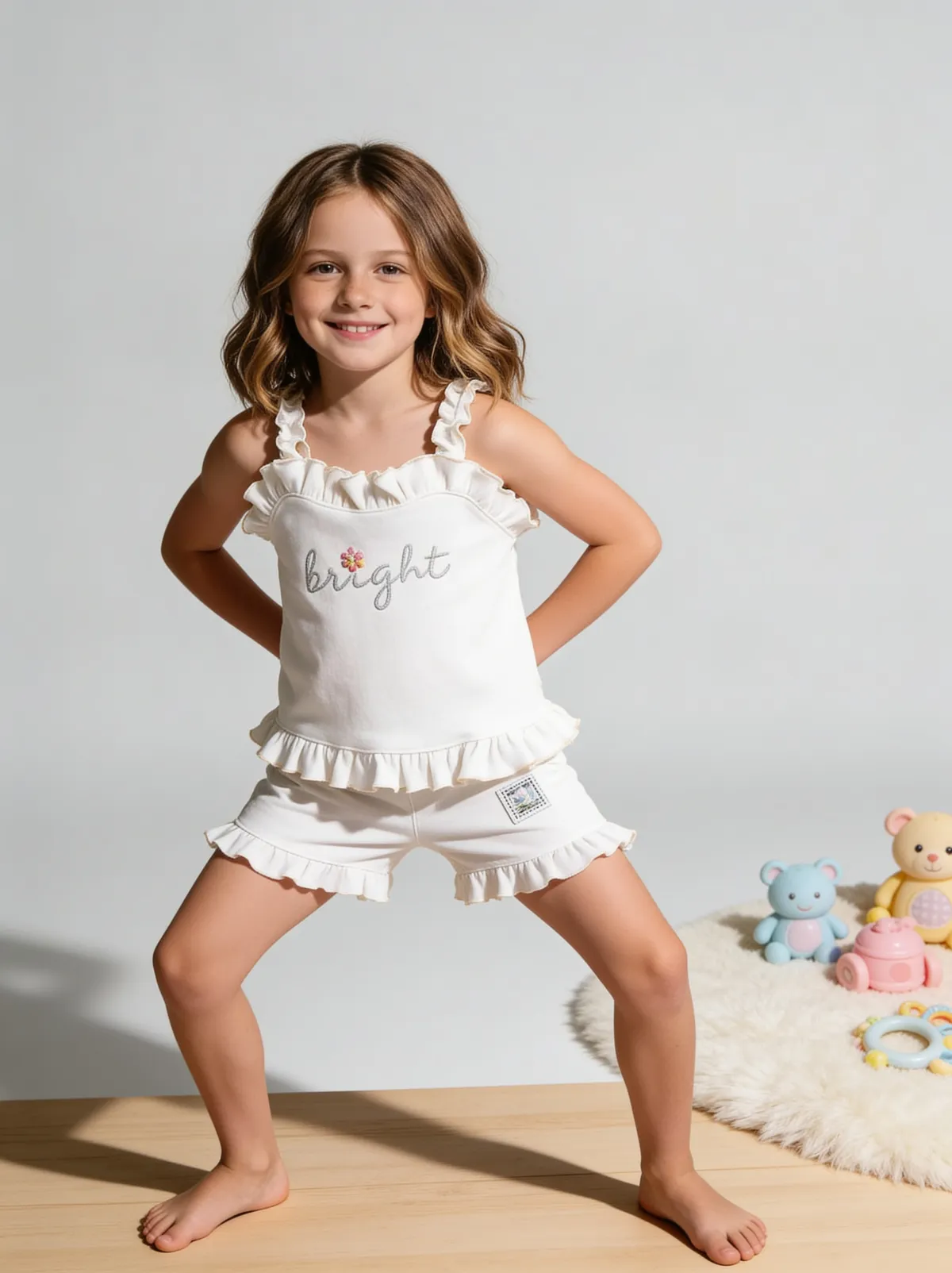 BeforeAfter
Benefits
On-model heroes from photography you already own
Listings that meet Ajio's on-model main image rule
One consistent model across the whole collection
How It Works
1
Collect the original front and back ghost shots, named by SKU.
2
Pick 1 model for the collection.
3
Generate front, back and three-quarter views from the matching source.
4
Set each channel's background and export.
Best Practices
- check_circleUse the full-resolution, colour-corrected original
- check_circleKeep 1 model for every product in a collection
- check_circleLead with on-model, keep ghost front and back as supporting images
Common Mistakes
- cancelGenerating a back view from a front ghost photo
- cancelUsing compressed marketplace exports as the source
- cancelDropping the ghost shots from the gallery after converting
Brands that shoot with Fluxx




“With ChatGPT and Gemini, I often had to keep tweaking prompts and regenerating images to get the look I wanted. With Fluxx.work, apparel try-on is much more streamlined. I can create on-model images in different styles without the endless reprompting, saving both time and effort.”
Prerna
Toonyport
“A photoshoot is never just the photos. There's the studio, the photographer, models, props and all the coordination. Fluxx.work lets me create product visuals without arranging all of that for every creative, so I can try more ideas and keep my marketing budget in check.”
Deepak
We Are Unproven
“As a small business, I can't have a designer on hand for every requirement. Fluxx.work lets me create product visuals myself, with no complicated production setup, so I spend less time on creatives and more on running the business.”
Aakash
Mr. Mop
“In an online store, product images are the first thing customers notice. Starting from photos I already have, Fluxx.work gives me clean product shots and lifestyle visuals for every marketing need, without booking a new shoot for each idea.”
Arihant
Wishkey
Frequently Asked Questions
Can AI turn a ghost mannequin photo into a model photo?
Yes. A front ghost shot gives the AI the garment's real shape and neckline, and it renders the garment on a model from there. On Fluxx.work each image costs 12 credits.
Should I convert the front and back ghost shots separately?
Yes. Use the back ghost shot for the back view, because a back view generated from a front photo is a guess. That means 2 sources and at least 2 conversions per product.
Can a ghost mannequin image be the main image on Ajio?
No. Ajio does not accept mannequin, ghost-mannequin or pack images as the 1st image, so lead with an on-model image and keep the ghost shot in slot 2 or later.
Is it cheaper to convert ghost photos than to book a model shoot?
For most catalogs, yes: 80 on-model images cost $7,600 at Squareshot's starting $95 an image, against 960 credits on Fluxx.work, which fits inside the ₹9,999 Business pack.
Why Fluxx.work
Fluxx.work turns each ghost mannequin photo into on-model images at 12 credits, keeping the same model across a collection and the background each marketplace requires.