Baby Product Photography Built on Trust and Softness
Baby product images can be 5000 x 5000 px or 25 megapixels and under 20 MB on Shopify, while Amazon's floor is 500 px with 1,000 px or more recommended, a 10,000 px ceiling and the product at 85% of a pure white frame. Fluxx.work generates safety-detail shots at 12 credits each.
Last updated:
Key facts
- Shopify takes baby-product images up to 5000 x 5000 px or 25 megapixels, with a file smaller than 20 MB.
- Amazon's minimum is 500 px on the longest side, with 1,000 px or more recommended because that is what enables zoom.
- Amazon's ceiling is 10,000 px, and the product should fill 85% of a pure white RGB 255,255,255 image.
- Google Merchant Center requires at least 500 x 500 px, recommends around 1500 x 1500 px and caps images at 64 megapixels and 16 MB.
- A 75% to 90% fill is Google's band, so an 85% Amazon-style crop works for both.
- Fluxx.work charges 12 credits per image, so a 7-image baby-product set is 84 credits.
Real output from Fluxx.work
Generated from a single uploaded product photo.
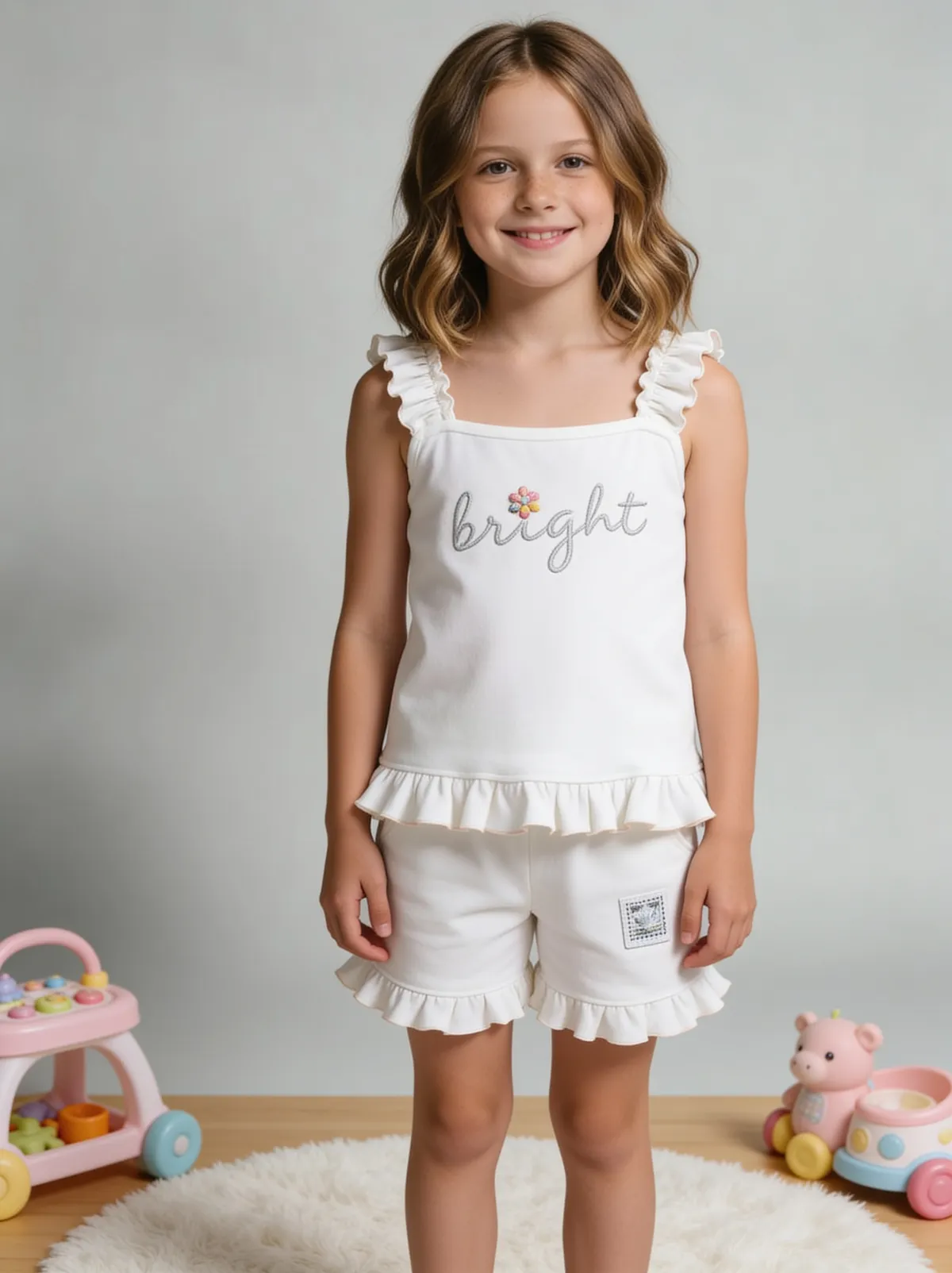
See more examples in the Fluxx.work gallery
Soft, hygienic styling is the category convention
Baby product photography leans toward gentle pastel or neutral tones, soft diffused lighting, and clean uncluttered backgrounds — visual cues that signal cleanliness and gentleness, which parents actively associate with product safety even before reading a label. Fluxx.work applies this soft, hygienic-feeling studio and lifestyle styling to your actual product rather than a harsh, high-contrast commercial look that feels mismatched for the category.
Safety-focused framing where it counts
For products like car seats, cribs, or feeding items, parents specifically look for how a buckle, strap, or locking mechanism works, and photography needs to frame those details clearly rather than only showing a flattering hero angle. Fluxx.work can generate close-up detail shots of safety mechanisms alongside softer lifestyle imagery, so a listing addresses both the emotional and the practical safety-verification needs of a parent shopper.
| Requirement | Shopify | Google Merchant Center | Amazon (general spec) |
|---|---|---|---|
| Minimum size | Not published | At least 500 x 500 px (a new size requirement begins 31 January 2027) | 500 px on the longest side |
| Recommended size | 2048 x 2048 px for square images | Around 1500 x 1500 px | 1,000 px or more for zoom |
| Maximum size | 5000 x 5000 px or 25 megapixels | No larger than 64 megapixels | 10,000 px on the longest side |
| Max file size | Smaller than 20 MB | No larger than 16 MB | Not stated |
| Product fill in frame | Not published | No less than 75%, no more than 90% | 85% of the image |
| Images per listing | Not published | Not stated | At least 6 additional plus 1 video recommended |
Benefits
Soft, hygienic-feeling studio and lifestyle aesthetic built for the category
Clear detail shots of safety mechanisms like buckles and locks
Nursery and lifestyle context scenes without a baby-model photo shoot
Consistent trustworthy styling across a full baby-product line
How It Works
1
Upload a clear, well-lit photo of the baby product.
2
Choose soft studio background, safety-detail close-up, or lifestyle nursery scene.
3
Generate — product detail and safety features stay accurate to the source.
Best Practices
- check_circlePhotograph the source product in soft, even light against a clean, uncluttered background
- check_circleInclude a dedicated close-up of any buckle, strap, or locking mechanism
- check_circleKeep pastel or neutral tone styling consistent across a full baby-product range
Common Mistakes
- cancelUsing harsh, high-contrast commercial lighting that feels mismatched for the category
- cancelShowing only a hero angle and omitting safety-mechanism detail parents look for
- cancelInconsistent styling between studio and lifestyle shots within the same listing
Trusted by 1,200+ businesses worldwide
“We used to book a studio every quarter. Now one product photo gives us the hero, lifestyle and detail shots in a single pass, and the catalogue finally looks like one brand instead of six separate shoots.”
Marcus T.
Founder, Home Goods Brand · Austin, TX
“The garment is genuinely the same in every frame — colour, print and trims all hold. That was the part I did not believe until we ran our own SKUs through it.”
Dana R.
Head of Ecommerce, Activewear · Brooklyn, NY
“Glass and reflections are where most tools fall apart. Ours come out clean, so we can photograph a new scent the week it launches instead of waiting on a studio slot.”
Layla A.
Founder, Fragrance Brand · Dubai, UAE
“Metal finish and stone detail survive a zoom now, which is what our listings actually needed. We stopped reshooting pieces that came back soft.”
Omar S.
Marketing Director, Jewellery · Abu Dhabi, UAE
“The textures and lighting are so realistic that customers tell us they can almost feel the product. We reshoot far less than we used to.”
Sneha P.
Founder, Coffee Brand · Coorg, India
“The AI-contextual backgrounds just work. It reads the product and picks the right aesthetic. We've stopped paying for stock photo subscriptions.”
Priya S.
Founder, Skincare Brand · Mumbai, India
Frequently Asked Questions
What size should a car seat or crib photo be for Amazon?
At least 500 px on the longest side, 1,000 px or more recommended for zoom, a 10,000 px maximum, 72 dpi minimum, and the product at 85% of a pure white RGB 255,255,255 image.
How many images does a baby product listing need?
Amazon does not state a maximum and recommends at least 6 additional images plus 1 video; a 7-image set built on Fluxx.work costs 84 credits at 12 credits per image.
What image limits does Shopify set for baby products?
Shopify accepts up to 5000 x 5000 px or 25 megapixels per image with a file smaller than 20 MB, recommends 2048 x 2048 px for square images, and publishes no background or fill rule.
How big should a baby product photo be on Google Shopping?
At least 500 x 500 px, with around 1500 x 1500 px recommended, a 64 megapixel and 16 MB cap, and a 75% to 90% product fill in the frame.
Can a close-up show how a buckle or locking mechanism works?
Yes — an edit costs 10 credits, a background removal costs 2 credits and scene recreation costs 15 credits, against 12 credits for a standard generated image.
Why Fluxx.work
Baby-product shoppers are buying peace of mind — Fluxx.work pairs a soft, trustworthy aesthetic with clear safety-detail shots instead of prioritizing one over the other.