Swap the Background, Keep the Product Exactly the Same
Sometimes the product photo is fine but the setting isn't — a kitchen counter, a warehouse floor, a hotel-room bedspread behind a garment shot for a supplier catalog. Fluxx.work replaces the scene around the product with a new one in a single pass, matching light direction and color temperature so the swap doesn't look pasted in.
Last updated:
Real output from Fluxx.work
Generated from a single uploaded product photo.
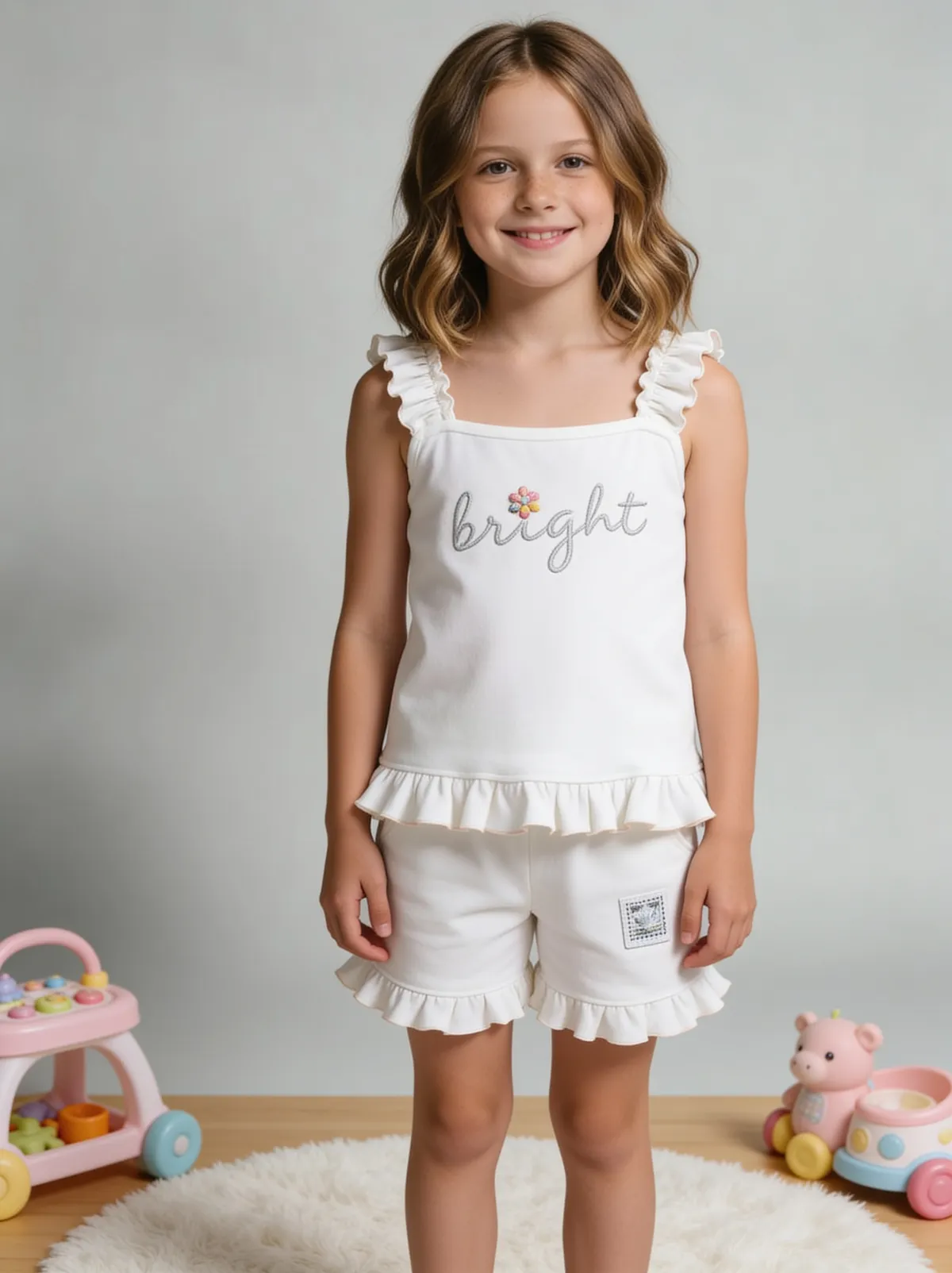
See more examples in the Fluxx.work gallery
Background change vs. background removal
Removal ends at a transparent or white cutout — a deliberately neutral, empty result. A background change is a full re-scene: the product needs to sit convincingly inside a new environment, which means the new backdrop's light direction, color cast, and shadow behavior all have to agree with how the product itself is lit. Pasting a cutout onto a stock lifestyle photo almost always breaks this — the product looks lit from the front while the room is lit from a window on the left, and the mismatch reads instantly to a viewer even if they can't name it.
Matching light direction is the hard part
A product shot under a softbox from camera-left will still show that highlight and shadow pattern after a naive cutout-and-paste. Fluxx.work regenerates the product's shadow and rim light to agree with the new scene's light source, instead of leaving the original lighting frozen onto a new backdrop.
Common scenarios
A supplier sends product photos shot in a warehouse or on a factory floor and you need a clean studio or lifestyle version for your storefront without re-shooting. A seasonal campaign needs the same hero product moved from a plain backdrop into a holiday, outdoor, or seasonal scene. A returning influencer photo has good product framing but a background that clashes with brand guidelines.
How the generation works
Upload the existing photo — background and all. Describe or pick the new scene: studio gradient, outdoor context, styled interior, seasonal set. Fluxx.work separates the product from its current surroundings, drops it into the new scene, and re-renders shadow and light interaction so the composite reads as one photograph, not a cut-and-paste.
Benefits
Change the scene without a separate masking or cutout step
Shadow and light direction re-rendered to match the new background
Reuse one product photo across unlimited scene variations
Fixes supplier or influencer photos with the right product but wrong setting
How It Works
1
Upload the photo with its current background intact.
2
Choose or describe the new scene.
3
Fluxx.work replaces the background and re-renders light and shadow to match.
4
Download a single composited photo, ready to use.
Best Practices
- check_circlePick a new background whose implied light direction roughly matches the original product shot
- check_circleUse simpler backgrounds for detail-heavy products so the item stays the visual focus
- check_circleKeep a small library of 3-4 approved scene styles per season for brand consistency
- check_circleCheck color temperature between product and background looks natural, not two different photos stitched together
Common Mistakes
- cancelPasting a product cutout onto a new background with mismatched light direction
- cancelChoosing a busy new background that competes with the product for attention
- cancelIgnoring color temperature mismatches between product lighting and scene lighting
- cancelReusing the exact same background across every SKU, making the catalog feel templated
Trusted by 1,200+ businesses worldwide
“We used to book a studio every quarter. Now one product photo gives us the hero, lifestyle and detail shots in a single pass, and the catalogue finally looks like one brand instead of six separate shoots.”
Marcus T.
Founder, Home Goods Brand · Austin, TX
“The garment is genuinely the same in every frame — colour, print and trims all hold. That was the part I did not believe until we ran our own SKUs through it.”
Dana R.
Head of Ecommerce, Activewear · Brooklyn, NY
“Glass and reflections are where most tools fall apart. Ours come out clean, so we can photograph a new scent the week it launches instead of waiting on a studio slot.”
Layla A.
Founder, Fragrance Brand · Dubai, UAE
“Metal finish and stone detail survive a zoom now, which is what our listings actually needed. We stopped reshooting pieces that came back soft.”
Omar S.
Marketing Director, Jewellery · Abu Dhabi, UAE
“The textures and lighting are so realistic that customers tell us they can almost feel the product. We reshoot far less than we used to.”
Sneha P.
Founder, Coffee Brand · Coorg, India
“The AI-contextual backgrounds just work. It reads the product and picks the right aesthetic. We've stopped paying for stock photo subscriptions.”
Priya S.
Founder, Skincare Brand · Mumbai, India
Frequently Asked Questions
Do I need to remove the background myself first?
No. Upload the photo as-is with its existing background — Fluxx.work handles the separation and the new scene in one step.
Will the product's lighting match the new background?
Yes. Shadow direction and light color are re-rendered to match the new scene rather than carried over unchanged from the original photo.
Can I reuse the same product shot across multiple seasonal backgrounds?
Yes — one source photo can be placed into as many different scenes as you need without reshooting.
What if the original background partially overlaps the product, like a hand holding it?
Anything that's genuinely part of the product framing (a hand modeling a ring, for example) is preserved; only the surrounding scene is replaced.
Why Fluxx.work
Fluxx.work rebuilds the whole scene around the product instead of leaving a visible seam where an old backdrop was swapped for a new one.